
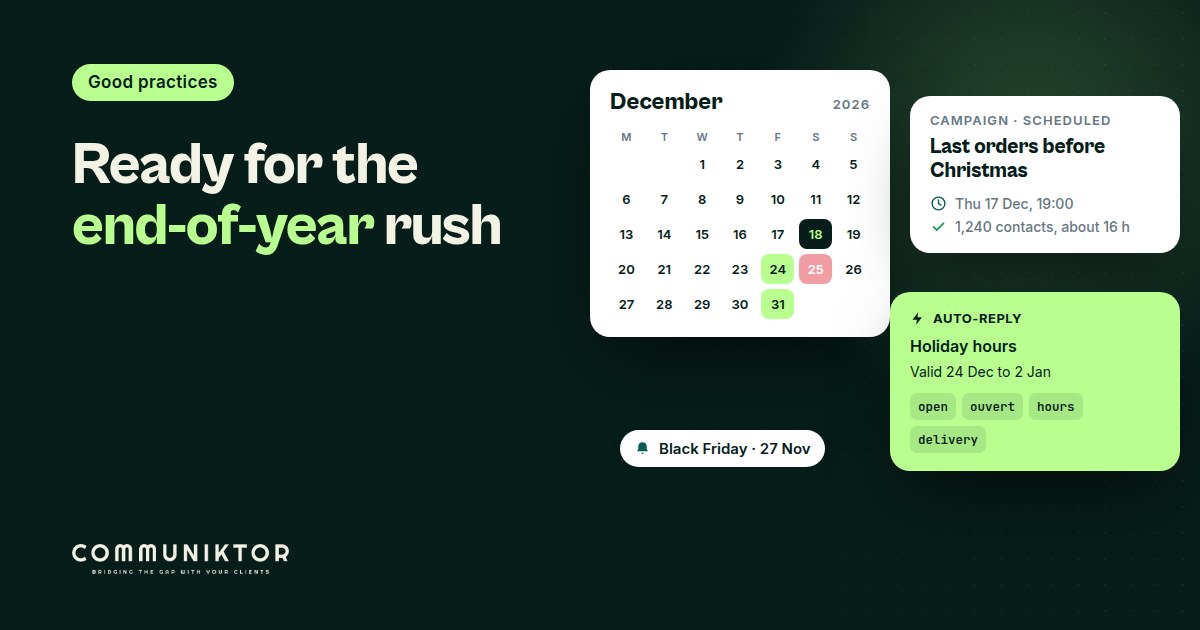
From Black Friday to New Year's Day, the busiest weeks of the year all land in a row. Customers ask more questions, orders pile up, and every shop is fighting for the same attention. WhatsApp is where a lot of that happens now, so it is worth getting ready before the rush rather than in the middle of it.
Here is a short checklist, built on what Communiktor already does for you.
Put the key dates on paper
Start with a simple calendar of the moments that matter for your business:
- Black Friday and the weekend after it;
- the last day to order for delivery before Christmas, which depends on your delivery partners;
- your holiday opening hours, including the days you close;
- New Year, and the first week of January when people come back.
For each date, write down what you want to send, and to whom. Two or three well-placed campaigns over five weeks will do more for you than one every other day.
Start big campaigns early
Communiktor sends campaign messages one by one, spaced out the way a person would send them: about 45 seconds apart on average. That keeps the pace natural, but it also means a campaign to 1,000 contacts runs for around twelve hours.
So for an offer that starts on Friday morning, do not launch the campaign on Friday morning. Write it a few days before and schedule it for the evening before, so that most people have it when the offer opens. You can pause it at any time if something needs fixing, and resume it without anyone receiving the message twice.
Tidy your groups first
The end of the year is when lists get used the most, so it is also the right time to clean them:
- remove the people who asked you to stop;
- check that recent customers are in the right groups;
- split a big "Customers" group by city or by interest, if your offers are different.
A campaign about a Christmas delivery deadline is useful to people you can deliver to, and noise for everyone else.
Announce your holiday hours automatically
Customers will ask whether you are open on the 25th, or when deliveries start again. On the Pro plan, keyword auto-replies can answer for you, and they have valid from and valid until dates, so you can set them up today and forget about them.
For example, a rule with the keywords open, ouvert, hours, horaires and delivery, valid from 24 December to 2 January:
We're closed on 25 December and 1 January. The rest of the week we're open from 10 am to 4 pm, and deliveries start again on 3 January. Merry Christmas!
On 3 January, the rule stops on its own and your normal replies take over again.
Keep customers posted on their orders
When orders double, so do the "where is my parcel?" messages. If your shop sends order updates through the API, check that the four that matter are in place: order confirmed, payment received, on its way, delivered. Customers who know where their order is do not need to ask.
If you send a "last day to order" reminder, give a real date and a real time: "Order before Friday 18 December, 6 pm, for delivery before Christmas." A vague "order soon" does not help anyone plan.
Bring in some help
The rush is a good moment to add a colleague to your team, so that more than one person can read and answer messages. Basic includes 2 team members, Pro 5 and Enterprise 20, and each person signs in with their own account. Agree in advance who answers when, especially on the days the shop is closed.
Say thank you in January
Once the holidays are over, a short message to the customers who bought from you goes a long way:
Hi {{name}}, thank you for shopping with us this season. Happy New Year from all of us at Kiki Fashion!
No offer, no link, just thanks. It is the message people are least used to getting, and the one they remember.
The short version
- Write down your dates now, and plan two or three campaigns, not ten.
- Schedule big campaigns the evening before: 1,000 contacts take about twelve hours.
- Clean your groups before you send.
- Set your holiday hours as auto-replies with start and end dates.
- Make sure order updates go out on their own.
- Add a colleague for the busiest weeks, and say thank you in January.
Happy selling, and happy holidays.