
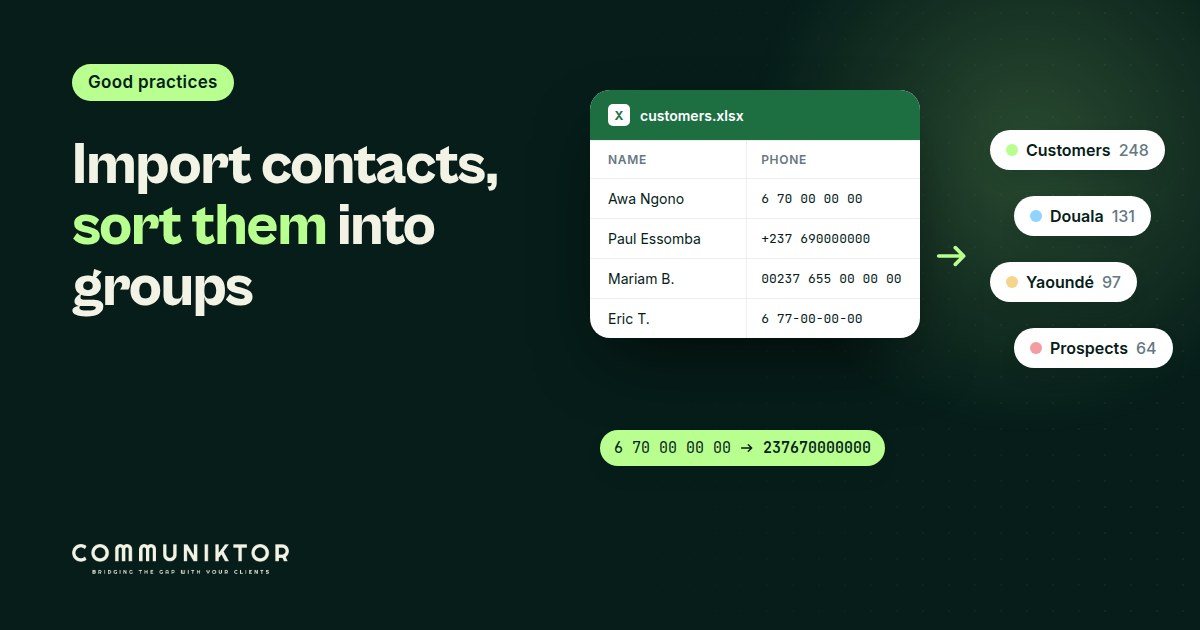
Your customer list probably lives in several places already: the phone's address book, an Excel file from the shop's till, a Google Sheet someone started last year. Before you can send a campaign from the Communiktor dashboard, those contacts need to be in one place, and sorted in a way that makes sense. This is a Pro plan feature, and it takes less time than it sounds.
The formats you can import
The import accepts the files you most likely have:
- CSV, exported from Google Sheets, a CRM or an online shop;
- Excel,
.xlsxor the older.xls; - vCard (
.vcf), the format phones and Google Contacts use when you export contacts.
To get a vCard from Google Contacts, select the contacts, choose Export, then vCard. On an iPhone, the export is done from iCloud.com. On Android, open the Contacts app and look for Export in the settings.
Step by step
- Open Contacts, then Import, and upload your file.
- Communiktor shows a preview of the first rows. Tell it which column holds the phone number, and if you have them, the name and the email.
- Pick the default country. It is used for numbers written without their country code, which is how most people type local numbers.
- Choose the group or groups the contacts should go into, and start the import.
The import runs in the background. You can close the page and come back: the contacts appear as they are processed.
Phone numbers are cleaned up for you
Customer files are rarely tidy. You will find +237 6 70 00 00 00, 00237670000000, 670000000 and 6 70-00-00-00 in the same column. During the import, Communiktor:
- removes spaces, dashes and other separators;
- understands both
+and00in front of the country code; - adds the default country code to local numbers;
- checks that the result is a valid phone number.
For Cameroon, it also recognises old 8-digit numbers and adds the 6 that mobile numbers gained in 2014.
If a contact is already in your list, importing it again updates it rather than creating a duplicate. You can safely re-import an updated version of the same file.
Groups: sort once, send many times
Groups are what you send campaigns to, so it is worth thinking about them before the first import. A few ways to sort contacts that work well:
- By relationship: customers, prospects, suppliers, staff.
- By area: Douala, Yaoundé, Bafoussam, if your offers or delivery zones differ.
- By interest: "women's clothing", "kids", "electronics", based on what people bought or asked about.
A contact can belong to several groups, and each group gets a colour, which makes long lists easier to scan.
Each group holds up to 256 contacts. If an import goes beyond that, Communiktor carries on in a new group with the same colour, named "Customers 2", then "Customers 3", and so on. You do not have to split your file yourself.
Names make messages personal
If your file has a name column, map it. In campaigns and dashboard messages, {{name}} is replaced with each contact's name:
Hi {{name}}, the new collection is in the shop this Saturday. Want us to keep something aside for you?
"Hi Awa" reads very differently from "Dear customer". It is the cheapest improvement you can make to a campaign.
Keep the list worth sending to
A contact list is only as good as the people in it. Import the people who bought from you, asked you a question, or agreed to receive your news, rather than numbers collected elsewhere. When someone asks to stop receiving messages, remove them from the groups straight away. A smaller list of people who want to hear from you gets more replies than a big one that ignores you.
Once your groups are ready, you can send to them from the dashboard, or set up a campaign that goes out on a schedule.