
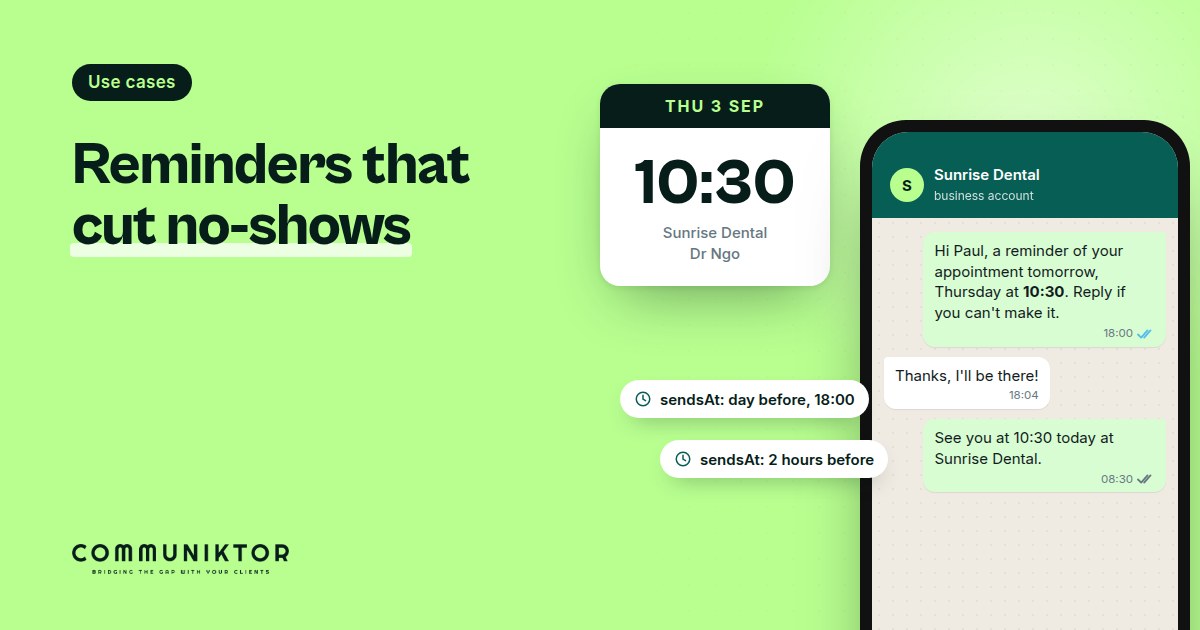
A missed appointment is an empty chair you cannot sell again. Clinics, hair salons, garages, driving schools and tutors all know the problem, and most of them solve part of it the same way: someone calls the next day's customers one by one. A WhatsApp reminder does that job for you, and people actually read it.
This guide shows when to send reminders, what to write, and how to schedule them with the Communiktor API so you do not need a cron job running all day.
When to send them
Three messages are enough for most businesses:
- A confirmation when the appointment is booked. It removes any doubt about the date and time, and gives the customer your number in their chats.
- A reminder the day before, around 6 pm. People can still rearrange their day.
- A short reminder 2 hours before, for appointments that are easy to forget, like a check-up booked a month ago.
Skip the third one for appointments booked the same day: nobody needs three messages in four hours.
What to write
Keep the essentials in the first line, because that is what shows in the notification:
Hi Paul, a reminder of your appointment tomorrow, Thursday at 10:30, with Dr Ngo at Sunrise Dental, Bonapriso. If you can't make it, reply to this message and we'll find another time.
Name, day, time, place, and what to do if plans change. That last sentence matters more than it looks: a customer who can reschedule in one reply is a customer who does not just stay home.
Scheduling with sendsAt
Every message endpoint accepts a sendsAt field. When the date is in the future, Communiktor keeps the message and sends it at that time. You can schedule all the reminders at the moment the appointment is booked:
import os
import requests
from datetime import datetime, timedelta

API = "https://api.communiktor.com"
HEADERS = {"X-API-KEY": os.environ["COMMUNIKTOR_API_KEY"]}

def schedule_reminder(appointment, send_at, text):
    response = requests.post(f"{API}/messages/text", headers=HEADERS, json={
        "instance": os.environ["COMMUNIKTOR_INSTANCE"],
        "receiver": appointment["phone"],
        "text": text,
        "sendsAt": send_at.isoformat(),
        "metadata": {"appointmentId": appointment["id"]},
    })
    response.raise_for_status()
    return response.json()["data"]["message"]  # keep it to cancel later

# starts_at is a timezone-aware datetime, e.g. 2026-09-03 10:30 in Douala (UTC+1)
starts_at = appointment["starts_at"]
day_before = starts_at.replace(hour=18, minute=0) - timedelta(days=1)
two_hours_before = starts_at - timedelta(hours=2)

appointment["reminder_ids"] = [
    schedule_reminder(appointment, day_before, "Hi Paul, a reminder of your appointment tomorrow at 10:30..."),
    schedule_reminder(appointment, two_hours_before, "See you at 10:30 today at Sunrise Dental."),
]
Always send the date with its timezone, for example 2026-09-02T18:00:00+01:00. A date without one is ambiguous, and a reminder that goes out an hour early is a reminder that looks careless.
When the appointment moves
Plans change. When an appointment is cancelled or moved, cancel the reminders you scheduled, then schedule new ones if needed:
for message_id in appointment["reminder_ids"]:
    requests.post(f"{API}/messages/cancel", headers=HEADERS, json={
        "instance": os.environ["COMMUNIKTOR_INSTANCE"],
        "message": message_id,
    })
This is why you keep the identifier returned for each message. A message can be cancelled until the moment it is sent.
Help people find you
For a first visit, add a location pin to the confirmation. The customer opens it straight in their maps app:
{
  "instance": "YOUR_INSTANCE_ID",
  "receiver": "237670000000",
  "location": {
    "latitude": 4.0207,
    "longitude": 9.6958,
    "name": "Sunrise Dental",
    "address": "Bonapriso, Douala"
  }
}
Send it to POST /messages/location, right after the text confirmation.
Listen to the replies
Reminders start conversations: "Can we do 11 instead?", "I'll be 10 minutes late". Make sure those replies reach someone, on the phone itself or through the message.incoming webhook forwarded to your booking system. On the Pro plan, you can also set up a keyword auto-reply, for example answering "address" with your full address and opening hours.
The result is simple to measure: count the no-shows for a month before, and a month after.