
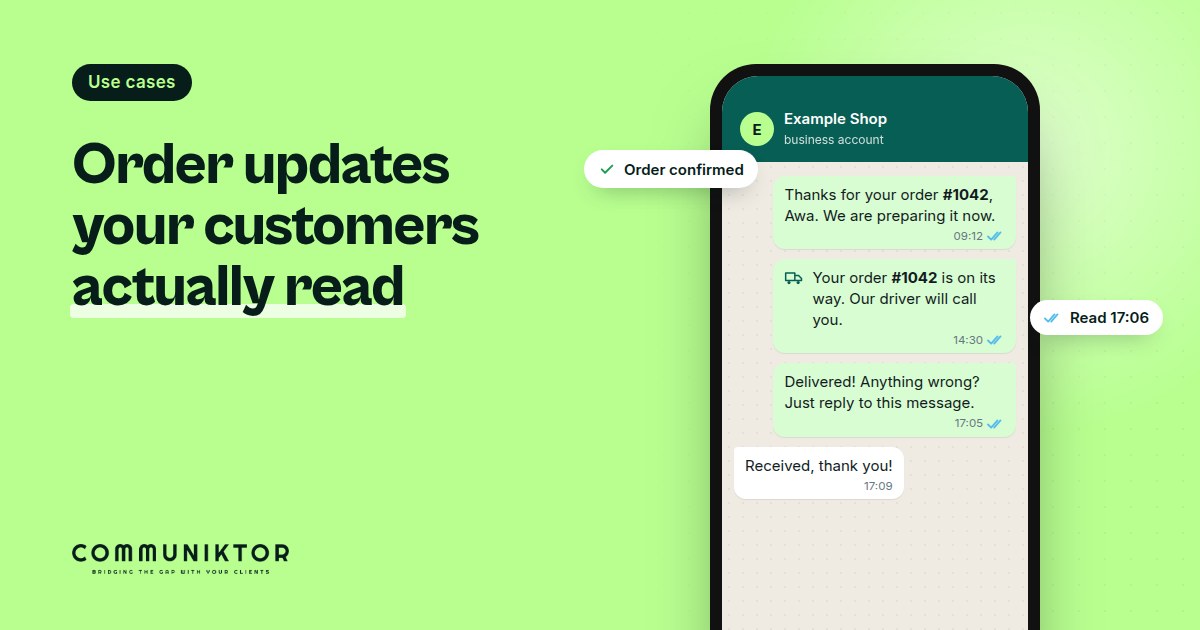
When someone orders from your shop, they want to know three things: that you got the order, when it leaves, and when it arrives. For a lot of your customers, WhatsApp is the app they open first in the morning, long before their email. Sending order updates there means fewer "where is my parcel?" calls and fewer missed deliveries.
This article walks through the messages worth sending and how to wire them into your shop's backend with the Communiktor API.
The four messages that matter
You do not need a message for every status in your system. Four cover almost everything:
- Order confirmed, right after checkout: "Hi Awa, thanks for your order #1042 (2 items, 18,500 FCFA). We are preparing it now."
- Payment received, if payment happens separately, for example cash on delivery or mobile money: "We have received your payment for order #1042."
- On its way, when the parcel leaves: "Your order #1042 is on its way. Our driver will call you before arriving."
- Delivered, with a short follow-up: "Your order #1042 was delivered. Anything wrong? Just reply to this message."
Keep each one short, start with the order number so the customer recognises it at a glance, and write like a person behind the counter, not like a system log.
Sending a message when the status changes
Wherever your code updates an order's status, add a call to the API. Here is a small helper in Node.js:
async function notifyCustomer(order, text) {
  const response = await fetch('https://api.communiktor.com/messages/text', {
    method: 'POST',
    headers: {
      'Content-Type': 'application/json',
      'X-API-KEY': process.env.COMMUNIKTOR_API_KEY,
    },
    body: JSON.stringify({
      instance: process.env.COMMUNIKTOR_INSTANCE,
      receiver: order.customerPhone,
      text,
      metadata: { orderId: order.id },
    }),
  });

  const result = await response.json();
  if (!result.success) {
    console.warn(`WhatsApp update for order ${order.id} refused: ${result.message}`);
  }
  return result.data?.message;
}

// When the parcel leaves the warehouse
await notifyCustomer(order, `Your order #${order.number} is on its way. Our driver will call you before arriving.`);
The metadata field is not shown to the customer. Communiktor stores it and sends it back with every webhook about this message, so your app knows which order a "delivered" or "read" event belongs to without keeping a lookup table.
Attach the invoice
Customers like having the invoice where they will actually find it again. Send it as a document with a clear file name:
curl -X POST https://api.communiktor.com/messages/document \
  -H "Content-Type: application/json" \
  -H "X-API-KEY: YOUR_API_KEY" \
  -d '{
    "instance": "YOUR_INSTANCE_ID",
    "receiver": "237670000000",
    "url": "https://shop.example.com/invoices/1042.pdf",
    "filename": "Invoice-1042.pdf",
    "caption": "Here is the invoice for your order #1042.",
    "metadata": { "orderId": "1042" }
  }'
The URL has to be reachable from the internet. If your invoices sit behind a login, generate a temporary link that stays valid for at least a few minutes.
Clean phone numbers save you trouble
Most failed sends come from badly formatted numbers. Ask for the country at checkout and store numbers in international format. Before calling the API, strip everything that is not a digit:
function toReceiver(phone) {
  return phone.replace(/\D/g, '').replace(/^00/, '');
}

toReceiver('+237 6 70 00 00 00'); // "237670000000"
If you are not sure a customer has WhatsApp at all, ask first with POST /contacts/check. When the answer is no, fall back to SMS or email for that customer.
Follow what happens
Turn on webhooks for the instance and your shop can react to each step:
message.sent: the update left your number.message.received: it reached the customer's phone.message.read: they read it, if their read receipts are on.message.sent.failed: it could not be sent.data.reasontells you why, for exampleReceiver not registered on WhatsApp.
Thanks to the metadata, each event comes back with the orderId you sent. Showing "notified on WhatsApp, read at 10:42" next to an order in your back office is a small thing that helps your support team a lot.
Customers will reply
Once you send updates on WhatsApp, customers answer them: "Can you deliver after 6 pm?", "I'm not home tomorrow". That is a good sign. Make sure someone reads the replies, either on the phone itself or through the message.incoming webhook forwarded to your support tool. A delivery saved by a quick reply is worth more than any automated message.