
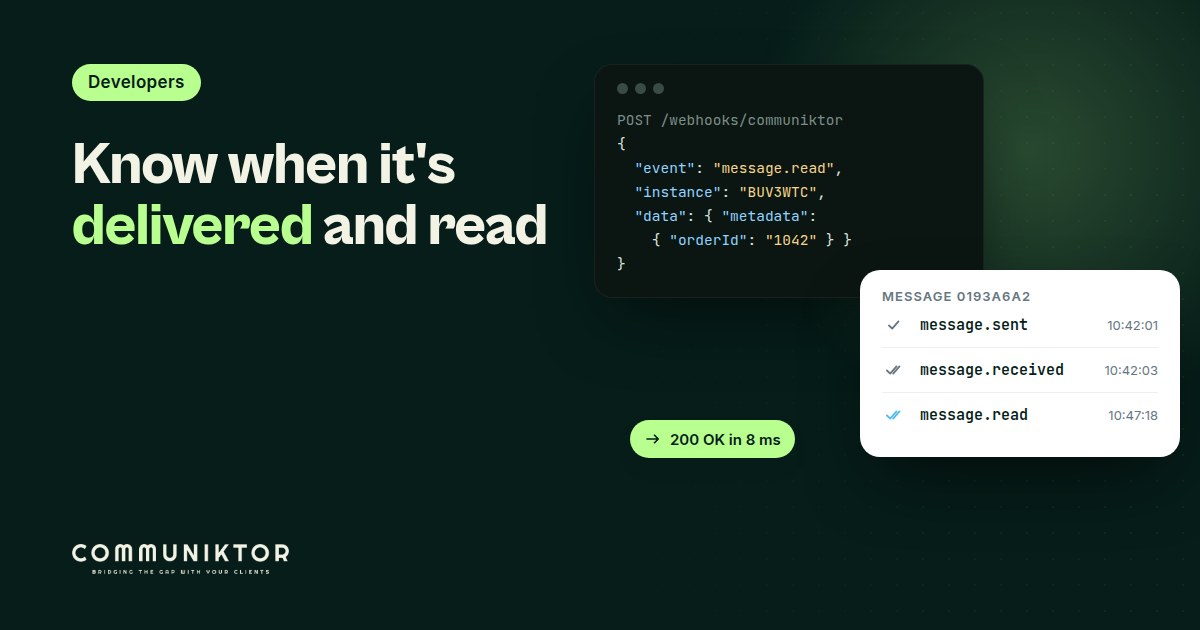
Sending a message through the API answers one question: did Communiktor accept it? Everything that happens after, the message leaving your number, landing on the phone, being read, getting a reply, reaches you through webhooks. Once they are in place, your app stops guessing.
How webhooks work in Communiktor
A webhook is a URL on your server. Each time something happens on an instance, Communiktor sends an HTTP POST to that URL with a small JSON body describing the event.
You set them up per instance, on its page in the dashboard: enter the URL, tick the events you care about, save. Changes apply within a minute, without restarting anything. Only the events you selected are sent, so you can start with two and add more later.
Every event has the same shape:
{
  "event": "message.read",
  "instance": "BUV3WTC",
  "data": {
    "message": {
      "instanceId": "BUV3WTC",
      "message": "0193a6a2-5c1e-7c43-9a59-3f0f5a6f2b1d",
      "receiver": "237670000000",
      "group": false,
      "text": "Your order #1042 has shipped"
    },
    "metadata": { "orderId": "1042" }
  }
}
data.message.message is the identifier the API returned when you sent the message, and metadata is whatever you attached to it. Together they let you find the record in your own database.
The events you will use most
For the messages you send:
message.sent: the message left your number. On the phone, that is one grey tick.message.received: it reached the recipient's phone, the two grey ticks.message.read: the recipient opened it, the two blue ticks. Only sent if they have read receipts on.message.sent.failed: it could not be sent, anddata.reasonexplains why.
For everything else:
message.incoming: a contact or a group wrote to your number. You get the sender, the text or caption, the type and the MIME type for media.call.received: someone called the number.instance.connectedandinstance.disconnected: the number was linked, or logged out and needs to be linked again.
A minimal receiver
Here is a webhook endpoint in Node.js with Express. It does the two things that matter most: it answers straight away, and it processes the event afterwards.
import express from 'express';

const app = express();
app.use(express.json());

// The random part of the path acts as a shared secret: only Communiktor knows it.
app.post('/webhooks/communiktor/k3v9x2q7m1', (req, res) => {
  res.sendStatus(200); // answer first, Communiktor waits at most 10 seconds

  const { event, instance, data } = req.body;
  if (instance !== process.env.COMMUNIKTOR_INSTANCE) return;

  queue.add({ event, data }); // your own job queue, database, etc.
});

app.listen(3000);
Four habits that save you trouble
Answer within 10 seconds. Communiktor waits up to 10 seconds for your reply. Return 200 first and do the slow work (database writes, emails, calls to other services) in a background job.
Protect the URL. Webhooks are not signed yet, so put a long random token in the path, check that instance is one of yours, and never trigger something sensitive, like a refund, from the payload alone. Look the order up in your own database first.
Make processing idempotent. Use data.message.message together with the event name as a key, and skip anything you have already handled. Your code stays correct when your own job queue retries a task, or when you replay events while debugging.
Do not count on retries. If your server is down when an event is sent, that event is not sent again. Keep the message identifiers the API returns, so you can tell which messages never got a status and look into them.
Testing on your laptop
Communiktor refuses private addresses such as localhost or 192.168.x.x, for security reasons. To test locally, use a tunnel like ngrok or Cloudflare Tunnel: it gives you a public HTTPS address that forwards to your machine. Put that address in the instance settings, send yourself a message, and watch the events arrive.
What to build with them
A few ideas that are quick to put together once events flow in:
- a "read" badge next to each order or appointment in your back office;
- an alert to your team when an update could not be sent, so someone calls the customer;
- incoming messages forwarded to your helpdesk or a shared inbox;
- a message to the person on duty when the number gets disconnected.
The full list of events and payloads is in the webhooks documentation.